For teams
If you can write a job description, you can build an agent.
Describe the job in plain English and Studio builds the agent: it answers your customers in real, working UI and lives at its own link. No code, no engineers borrowed from the roadmap.
Public beta preview
The whole hire
Six steps, plain English to live.
01
Describe the job
Type what the agent does, who it serves, how it should sound. The name suggests itself from your first sentence.
02
Pick its superpowers
Model, tools, abilities — one choice each. No config maze, no YAML.
03
Watch it come alive
Create, and the boot ladder walks Checking to Starting to Live. Your agent is up in minutes.
04
Talk to it
Ask it anything in the playground — it answers with real, working interfaces, not walls of text. This is the moment you believe it.
05
Make it yours
Your agent gets its own page, at its own link, under its name. Icon, colors, branding — dress it up from your console when you're ready.
06
Put it to work
Share a link anyone can open, embed it on your site with one copy-paste snippet, or list it in the Portal. Your private link always works.
What your customers see
Real interfaces, drawn per request.
Your agent doesn't answer with paragraphs — it draws the screen the question deserves: pickers, tables, confirmations. Generated live, every time.
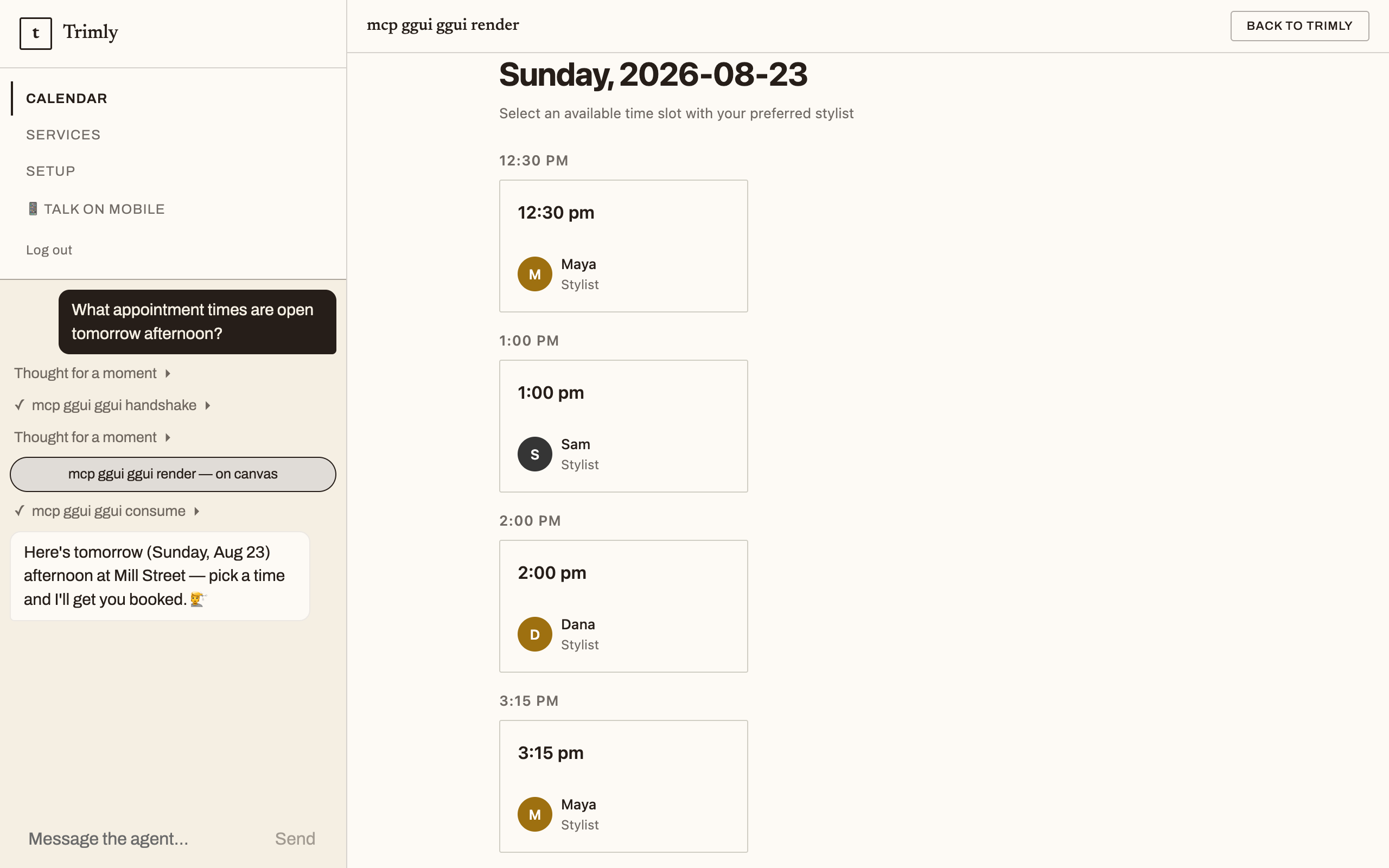
Drawn by the agent on the live demo — not a mockup
Who this is for
- SaaS teams adding an agent mode to an existing product — without borrowing engineers from the roadmap.
- Support and success leads who own the workflows but not the codebase.
- Domain experts with a clear idea and no desire to write backend code.
Studio is open — describe your agent and talk to it live in minutes.